Trepni.
Know what's on the road before you get there.
What Trepni tells you on the way.
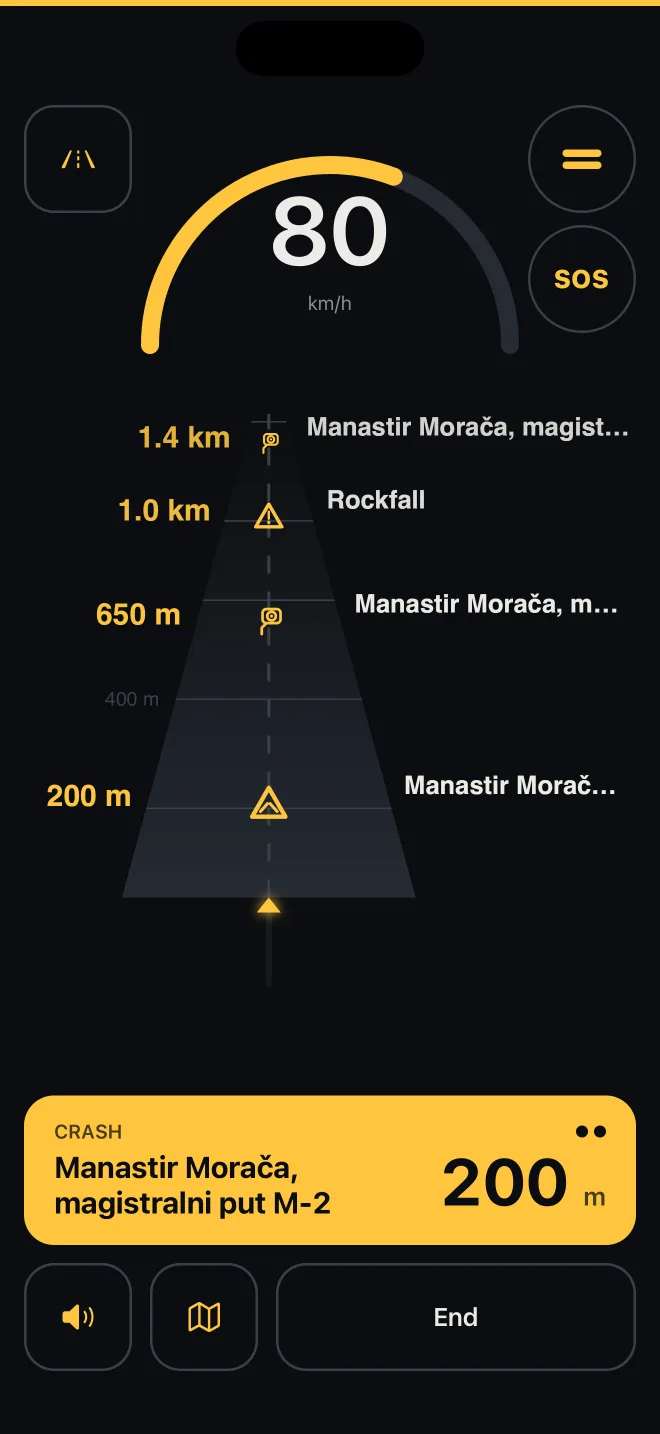
Crash ahead
Reported by a driver who passed minutes before you. The alert comes in time to slow down.
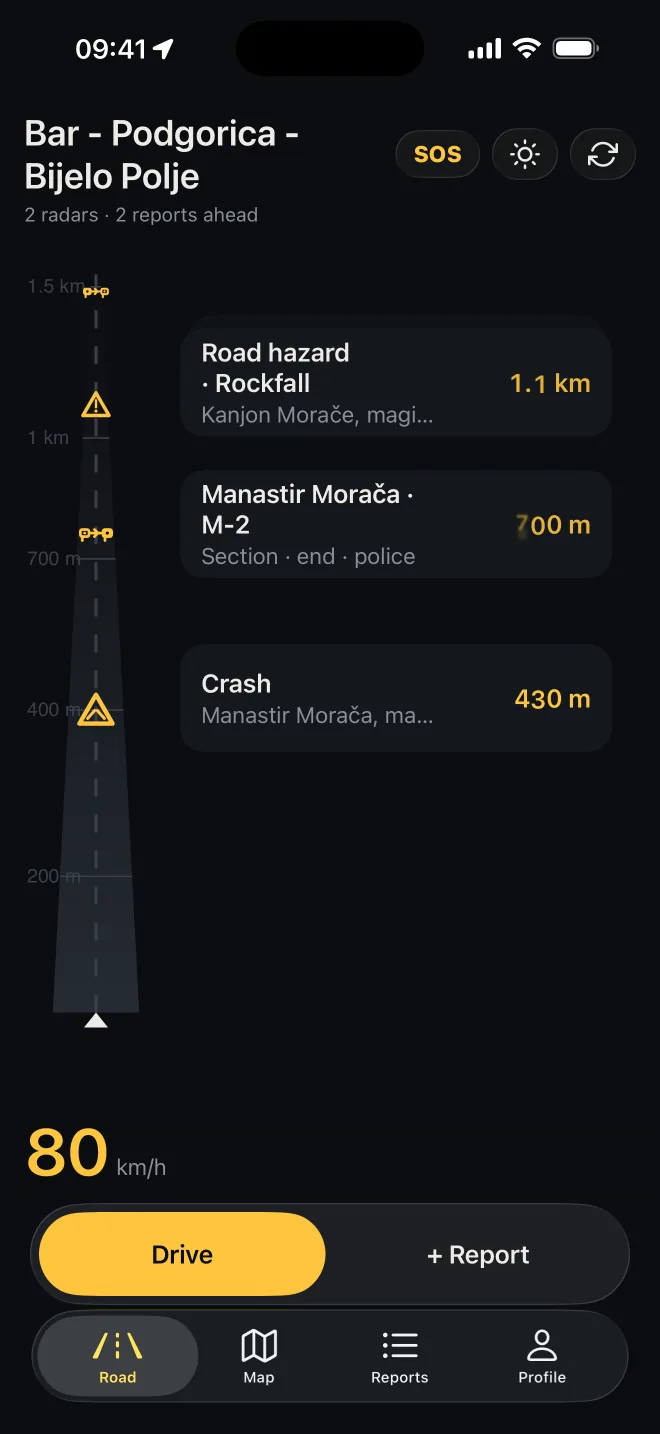
Only your road
What's ahead, in your direction, sorted by distance. No map to read.
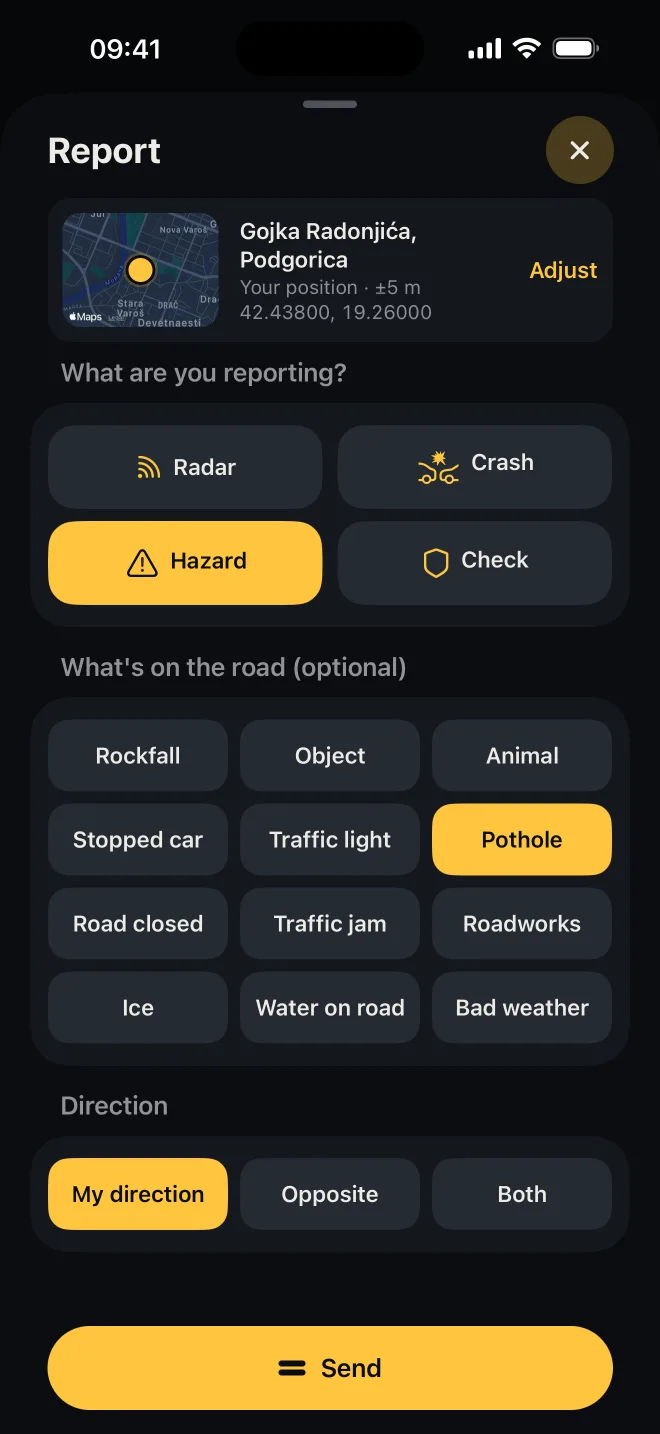
Report without typing
A crash, twelve kinds of hazard or a traffic check. Other drivers confirm it or mark it gone, so wrong ones disappear fast.
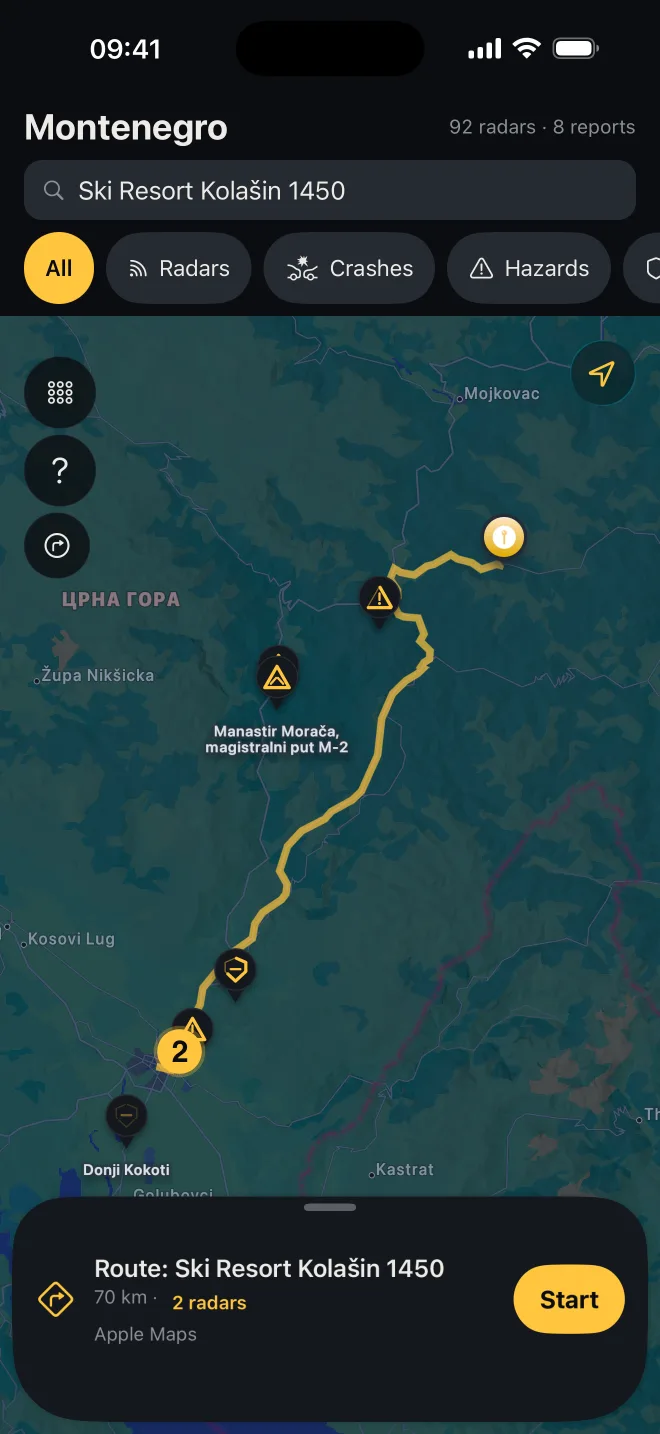
Plan the route
Pick a destination and follow only the cameras and reports on your route.
SOS when it counts
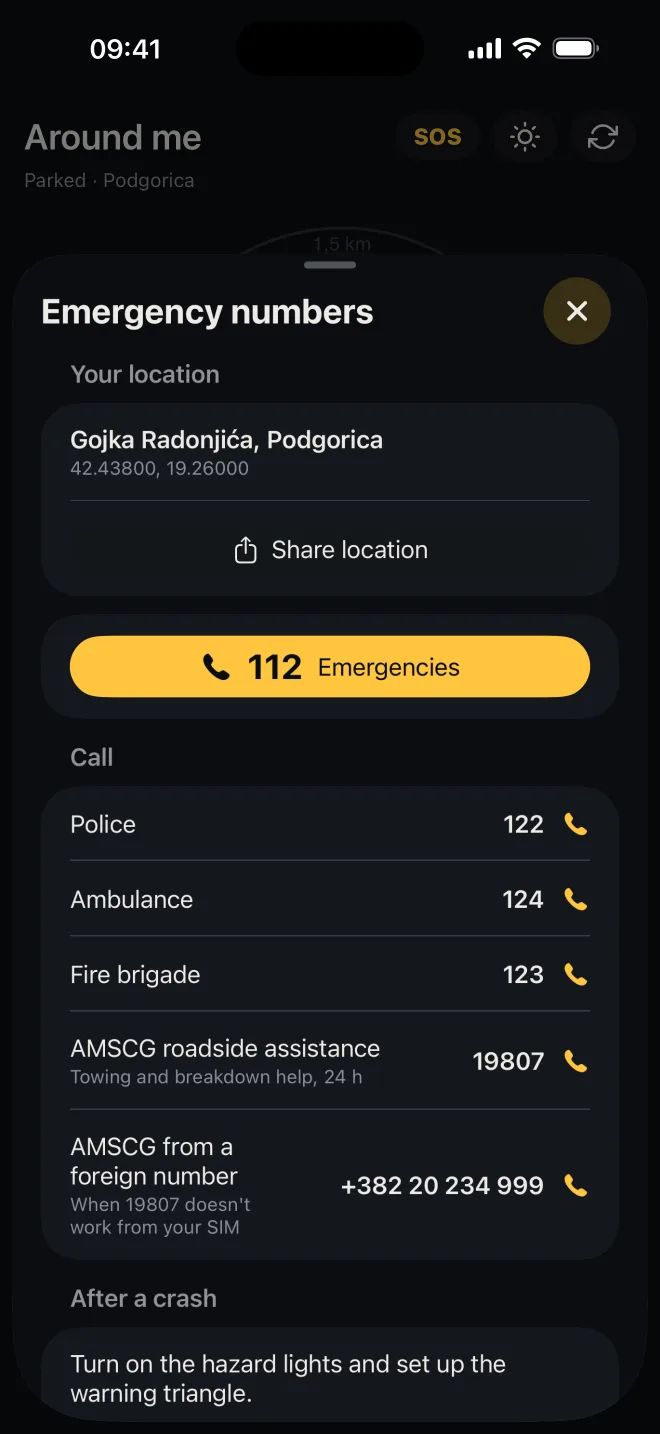
One tap: emergency numbers, your location with coordinates and what to do in the first minutes. Works without signal too.
- report types
- 4
- kinds of road hazard
- 12
- at least, before a speed camera or report
- 10 s
Not a detector. Reports are about the road, not people.
Two sources. One line. One alert.
Cameras from public records and driver reports flow into one road ribbon, and the ribbon into one alert.
Everything on the road. Four signs.
Drivers report what they see, others confirm it or switch it off. The shape tells the kind, the outline how many drivers confirmed: three parts, three confirmations. Colour never carries meaning.
- New report
- 1 confirmation
- 2 confirmations
- 3 confirmations, closed outline
Crash
Lasts 60 min; confirmations keep it up to 3 h.
Road hazard
Twelve kinds, from ice to potholes. Lasts from 3 h to 30 days.
Traffic check
A general point that expires in 45 min, up to 2 h with confirmations.
Radar
Fixed cameras stay; a mobile radar report lasts 3 h.
Speed cameras: six signs. Form carries the meaning.
- Fixed camera
- Intersection
- Mobile radar
- Section · entry
- Section · exit
- Driver report
The radar is on the map before the bend.
One drive, two views. The map turns with the road, and the ribbon lines up everything ahead by distance, up to 1.5 km.
Hear Trepni.
The notes rise as you get closer, so you know the distance without looking at the phone. Music is lowered, not stopped. Each tone starts after a short silence, so car Bluetooth does not clip it.
The first tone is chosen in the app, from eight sounds. The countdown before a speed camera stays the same, and reports have their own tone: one, without steps.
Trepni for the driver behind you.
A report shows up right away and stays faded until others confirm it. The driver behind you gets the alert, passes and says whether it is still there. Three confirmations approve the report.
Quiet safeguards
- At most 5 reports per hour.
- A new report of the same kind not within 300 m of your own active one.
- An account is required to report.
Pick the road before you start.
Up to five alternatives, ranked by length, each with its radar count. Pick the destination by search (villages, streets, places) or from "My routes", and "Start" opens Drive, which follows only the speed cameras and reports on the route.
On the lock screen, through your day.
Lock the phone and Trepni carries on. The distance to the radar counts down on the lock screen, and when the alert comes, the Dynamic Island expands and flashes.
Speed cameras and reports within 15 km are cached on the phone. A banner shows the last sync time, and the data refreshes by itself when the connection returns.
No cookie banner. There is nothing to consent to.
No movement history on our servers
Your phone measures the distance to cameras and reports. The server receives your position only to return the cameras and reports around you, and does not write it anywhere. We keep no movement history; search and routing send only what they need, and it is not stored.
No tracking, no cookies
The site sets no cookies, does not follow you across sites and does not record your screen.
Delete your account in two taps
From inside the app, and from this site.
An account only for reporting
Driving and alerts work without signing in.
Not a detector
Trepni reads nothing from the road. It only shows what is already published.
Reports are about the road, not people
Radars, crashes, hazards and general traffic checks. Reports about people are removed.
Questions drivers actually ask.
Can’t find an answer?
Contact supportData and rules
While driving
Reports
App and account
Is Trepni legal?
Trepni shows camera locations from public project documents and what drivers report from the road. It is not a radar detector and not an official police service. Reports are about the road, not people.
Questions drivers actually ask.
Can’t find an answer?
Contact supportData and rules
Is Trepni legal?
Trepni shows camera locations from public project documents and what drivers report from the road. It is not a radar detector and not an official police service. Reports are about the road, not people.
Where does the data come from?
Two sources: camera locations from public project documents and driver reports (speed cameras, crashes, hazards and traffic checks), which other drivers confirm or switch off.
How often does the data refresh?
On the Road screen and Map every 2 minutes and as soon as you return to the app, and in Drive every 2 minutes, even in the background. In Profile you choose 2, 5 or 15 min, or off.
While driving
How early is the alert?
At least 10 seconds ahead, whatever your speed: the first alert comes at the larger of your setting and the distance you cover in 10 seconds. For a speed camera, short steps follow at 200, 100, 50 and 30 m; for a report, one alert.
Does it work offline?
Yes. Speed cameras and reports within 15 km are cached on the phone and alerts keep working. A banner shows when the data was last refreshed.
Does it drain the battery?
In Drive the GPS runs at full accuracy, because without it the alert would come late. Outside Drive, Trepni does not track your location. On a long trip, keep the phone on a charger.
What is SOS, and does it work without signal?
A button on the Road screen and in Drive: emergency numbers (112, 122, 124, 123, 19807), your location to share and short advice after a crash. It works without signal; calls go through your phone.
Reports
What can I report?
A speed camera, a crash, a traffic check as a general point, and a road hazard in twelve kinds: rockfall, object, animal, stopped car, traffic light, pothole, road closed, traffic jam, roadworks, ice, water on road, bad weather.
How long does a report last?
A traffic check starts at 45 min, a crash at 60 min, a hazard at 60 min to 8 h depending on its kind; each confirmation keeps a report at least 30 min more. At most: a check 2 h, a crash 3 h, a hazard 12 h, a pothole 7 to 30 days, a mobile radar report 3 h. Three "Gone" votes remove a report sooner.
Can I report a traffic check?
Yes, as a general point on the road that expires on its own within 2 h at most. Alcohol and drug checkpoints, photos and descriptions of officers or vehicles are not allowed and are removed.
App and account
Do I need an account?
Not for driving, alerts or SOS. You only need an account to report or to confirm someone else's report. Sign in with Apple, Google or email.
When are CarPlay and Android Auto coming?
No date yet. They are marked SOON until they ship.
Is there a light theme?
Yes: Auto, Light and Dark. Drive is always dark, unless you turn on "Daylight in drive mode", for glare in open sun.
How do I learn the app?
On first use a short guide points out the buttons on Road and in Drive. You can replay it from Profile, under About, "How it works".
Trepni.
Slow down in time.
"Trepni" means: flash your headlights. It is what one driver does for another on an open road, a short, quiet signal that says slow down, something is ahead.